
Gmail extension for Chrome, Firefox, Edge and Brave
Send large files from Gmail, end-to-end encrypted
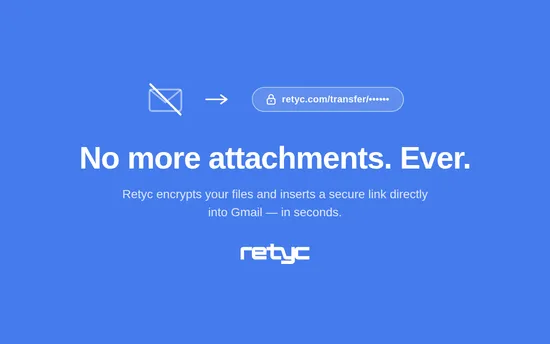
Official browser extension for secure file transfer from Gmail. Send heavy, confidential attachments without changing your workflow. Files are encrypted on your device before leaving the compose window. Recipients get a simple download link in the email — no account required.
How it works
Three steps to send an encrypted file from Gmail
The extension integrates natively into Gmail. You keep writing emails exactly as before — the file transfer happens in one click.
1. Write your email in Gmail
Open a compose window in Gmail. The Retyc button appears automatically in the draft toolbar, ready to start the transfer.
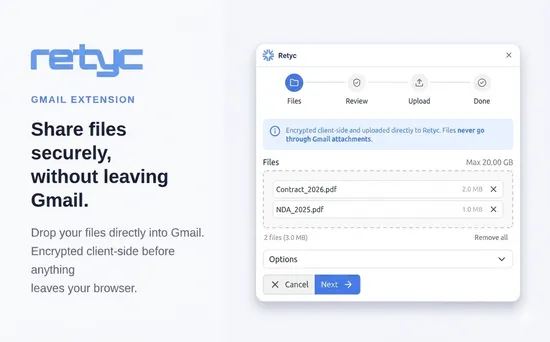
2. Drop your files into the Retyc panel
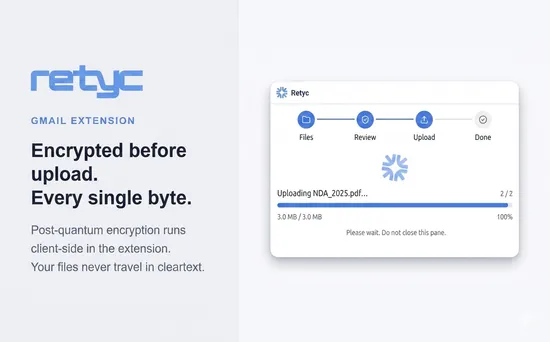
Click the Retyc button, then drop your files into the upload zone or use the file picker. Encryption happens in your browser, before anything is sent to our servers.
3. Send your Gmail message
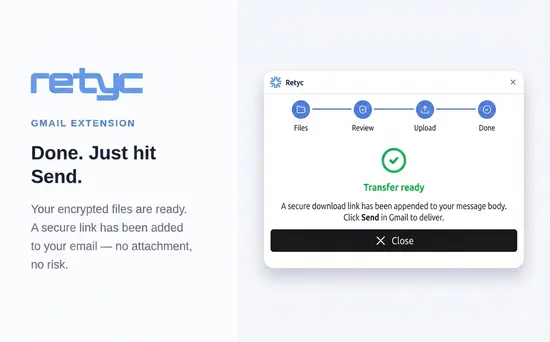
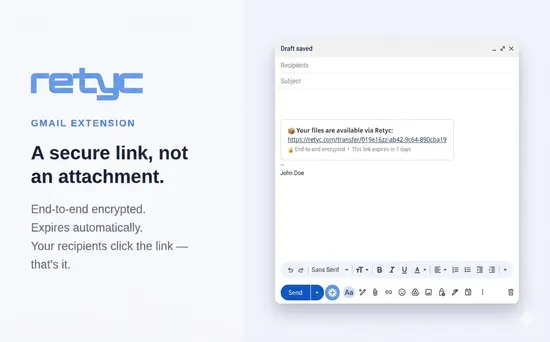
Click "Encrypt & insert Retyc link": a secure download link is added to the email body. All that's left is to click Send in Gmail.

Confidentiality
Why choose Retyc for secure file transfer from Gmail?
Built for professionals who cannot afford a file leak — even from Gmail.
End-to-end encryption in your browser
Your files are encrypted inside the Gmail extension, on your device, before leaving your machine. Neither the network, Google's servers, nor ours ever see the content.
Your files are inaccessible to us
Names, contents, and metadata are encrypted on your side before sending. Retyc has no way to access your data. Even if our servers were compromised, your files would remain unreadable.
Hosted in France, GDPR-compliant
Your transfers stay in France, with European providers. No exposure to the CLOUD Act or US law, as demanding legal teams require.
Gmail's 25 MB cap is no longer a problem
Send contracts, archives, videos, or full folders. Gmail's historical 25 MB attachment limit no longer applies to your file transfers.

Also
Easy to install, invisible to your recipients
From installing the extension to the recipient downloading the file, every step was designed to stay seamless.
Works on Chrome, Firefox, Edge and Brave
The extension runs on all modern Chromium-based browsers (Chrome, Edge, Brave) as well as Firefox. One installation covers all your Gmail usage.
No action required from recipients
Your contacts receive a download link in the Gmail message. They click and get the files. No sign-up, no software to install on their end.
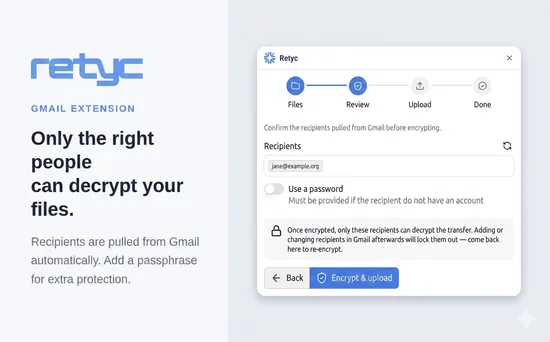
Gmail recipients synced automatically
Addresses from Gmail's To, Cc, and Bcc fields are pulled into the extension automatically. The encrypted transfer is addressed to them directly — no re-entry needed.

Who it's for
For professionals who transfer sensitive files from Gmail
Retyc integrates into Gmail for fields where confidential file transfer is never optional — even from a browser.
Law firms and legal departments
Client files, due diligence, deeds and contracts. End-to-end encryption and European hosting, in line with your professional obligations.
Finance and accounting
Financial statements, payroll, M&A files. No volume limits and clear traceability for every file sent from Gmail.
IT and security teams
Open-source code, end-to-end encryption, hosting in France. A Gmail file transfer extension your security team can audit themselves, line by line.

Send your next confidential file from Gmail.
Create your Retyc account, install the Gmail extension, and send your first encrypted file transfer in minutes.
Frequently asked questions about sending files from Gmail
The extension installs in two clicks from the Chrome Web Store (for Chrome, Edge and Brave) or from addons.mozilla.org (for Firefox). Click “Add”, accept the permissions, then open Gmail: the Retyc button appears in the toolbar of the compose window.
By replacing the attachment with a link. You open a compose window, click the Retyc button, drop your files and confirm: an encrypted download link is inserted into the message. Gmail's 25 MB ceiling no longer applies, and you can send several GB within the allowance of your plan.
Yes, from Firefox 140 onwards, as well as on all Chromium-based browsers: Chrome, Edge and Brave. One extension covers them all.
No. Encryption runs inside the extension, within your browser, before anything leaves. What travels through Gmail is a link, not a file. Neither Google nor Retyc holds what it takes to open the contents.
A link, which they click to download and decrypt the files in their browser. They have no account to open and no extension to install, whatever mail client they use.
On first use, the extension shows a code and a URL. Open that URL in your browser, sign in to your Retyc account and enter the code. This is asked only once, the credentials then being kept in the extension's local storage.
No. Files transferred from the extension are stored in France, with a European provider, and do not leave. Since encryption happens on your own machine, what is stored there is not readable in any case.