
Outlook plugin for Microsoft 365
Confidential file transfer with Outlook.
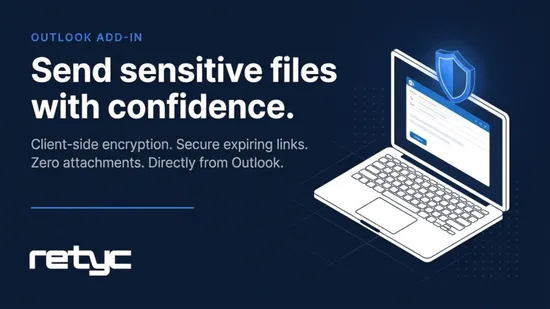
Works on Outlook Web and desktop clients. Your files are encrypted on your device before sending.
How it works
Three steps, without changing any of your habits.
The plugin integrates directly into Outlook. You keep writing emails exactly as before.
1. Write your email
Open a new message in Outlook, just as you normally would.
2. Attach your files via Retyc
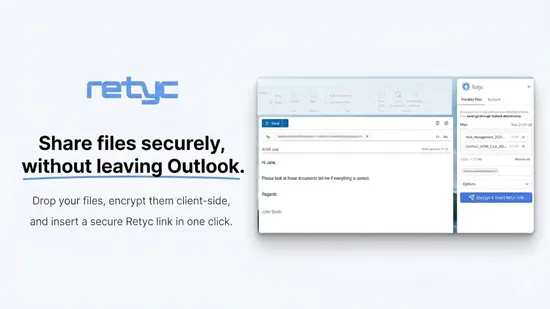
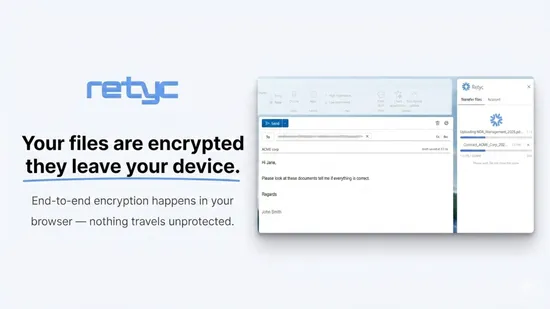
Click the Retyc button in the ribbon and select your files. They are encrypted on your device before being sent.
3. Send your message
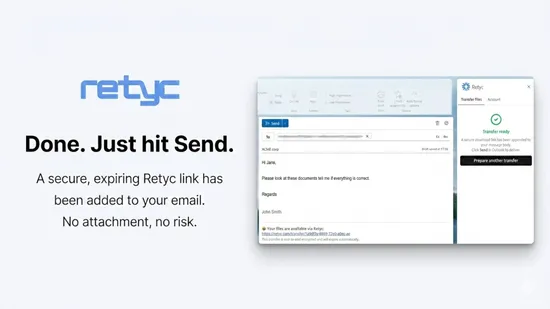
The email goes out normally, with a secure download link. The recipient clicks, downloads — no account required.

Confidentiality
Why choose Retyc for Outlook?
Built for professional environments where confidentiality is non-negotiable.
Encrypted on your device before sending
Your files are encrypted on your machine before being transmitted. Neither the network nor our servers see their content.
Your files are inaccessible to us
Names, contents, and metadata are encrypted on your side. Retyc has no way to access your data.
Hosted in France, GDPR-compliant
Your data stays in France, with European providers. No exposure to the CLOUD Act or US law, as demanding legal teams expect.
No attachment size limit
Send contracts, archives, videos, or full folders. Your mail provider's attachment caps no longer apply.

Also
Simple for you, simple for your recipients
From installation to receipt, every step was designed to stay seamless.
Works on web and desktop
The plugin works in Outlook on the web (office.com) and in desktop clients on Windows and macOS. One installation covers all uses.
No action required from recipients
Your contacts receive a link in the email. They click and download. No sign-up, no app to install.
Links expire automatically
Set a validity period for each transfer. Once the deadline passes, files are automatically deleted.

Who it's for
For professionals who handle sensitive data
Retyc fits where Outlook is already the standard tool, in fields where confidentiality is not optional.
Law firms and legal departments
Client files, due diligence, deeds and contracts. End-to-end encryption and European hosting, in line with your professional obligations.
Finance and accounting
Financial statements, payroll, M&A files. No volume limits and clear traceability for every transfer.
Human resources
Personnel records, medical documents, confidential correspondence. Transmitted with the discretion they deserve.

Send your next confidential file from Outlook.
Create your Retyc account, install the plugin, and send your first secure transfer in a few minutes.
Frequently asked questions
The plugin is published on Microsoft AppSource: add it straight from Outlook, under Get Add-ins. To equip a whole organisation at once, a Microsoft 365 administrator can deploy it from the admin center, under Settings then Integrated apps. Our installation guide covers both routes.
Yes. The Retyc plugin works in Outlook on the web (Microsoft 365, office.com) and in the desktop versions of Outlook on Windows and macOS. A single installation covers both.
Nothing at all. They click the link received in the message and collect the files from their browser, whatever mail client they use on their side.
The plugin sets no per-file ceiling, and it frees you from your mail server's attachment limits since the message only carries a link. The allowance available to you depends on your Retyc plan.
Inside the plugin, on your own machine, before the message leaves Outlook. Our servers host only the encrypted result, and the key is never passed to them. Our DPA and our subprocessor list are published should your legal team ask for them.
Your main password protects your encryption keys, which we never store in the clear. If it is lost, your old keys can no longer be recovered, and that is precisely what guarantees nobody else can reach them. A rotation tool lets you start again on new keys whenever you want.